Back to Audio Software Home Page | Partners In Rhyme Home Page
MP3 to Wav Converter Software
audio recording and editing software
Royalty Free Music & SFX
Royalty Free Music Tracks
Royalty Free Music Libraries
Film Soundtracks
Corporate & Motivational
Classical Music & Orchestral
Country, Blues & Acoustic
Rock and Pop Music
Ambient Chill Music
TV Show & Commercial Music
Romantic Music
Techno & Dance Music
World Music
Jazz & Lounge Music
Ambient Music
Royalty Free Sound Effects
Relaxing Nature CDs
Free Sounds & Video
Free Music Loops
Free Sound Effects
Free Midi Files
Free Video Loops
Free Music Playlist Generator
Audio Software
Audio Software for PC
Audio Software for Mac
Sound Advice
Audio Tutorials
F A Q
About Us
Connect on Buzz!


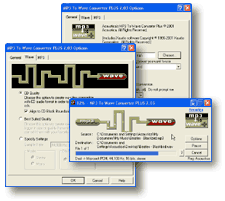
Download our easy, hands-free MP3 to WAV Converter!  It automatically converts MP3 & WMA files into CD compatible WAV files!  Click the mouse and forget about it!  No confusing bit rate calculations or rocket science know-how needed!  With this extremely useful software you can convert your MP3 files into WAV files for creating custom CD's or for editing in your favorite editor!  It will even automatically detect incomplete music downloads! Now anti-aliases audio for superior quality! 
Purchase MP3 T0 WAV Converter +!
Customer Feedback
"I purchased MP3 T0 WAV Converter + and it's awesome. Congratulations and thank you."  -Ben Gordon-Schlosberg


Purchase Acoustica MP3 To Wave Converter PLUS  
  • Easy to use ñ Just one right click of the mouse!!
  • High quality 32 bit sound engine with anti-aliasing!   
  • Converts MP3 into CD quality format WAV files ready to burn.
  • Converts freely between WMA, MP3 & WAV
  • Batch convert folders and subfolders with a single right click!
  • Automatically normalizes audio files to a consistent volume level.
  • Will sense incomplete music downloads or blank songs!
  • Automatically trims unwanted silence from the start and end of songs!
  • Converts music play lists (.M3U, .PLS) to WAV.
How does it work?

Start batch converting with MP3 T0 WAV Converter +

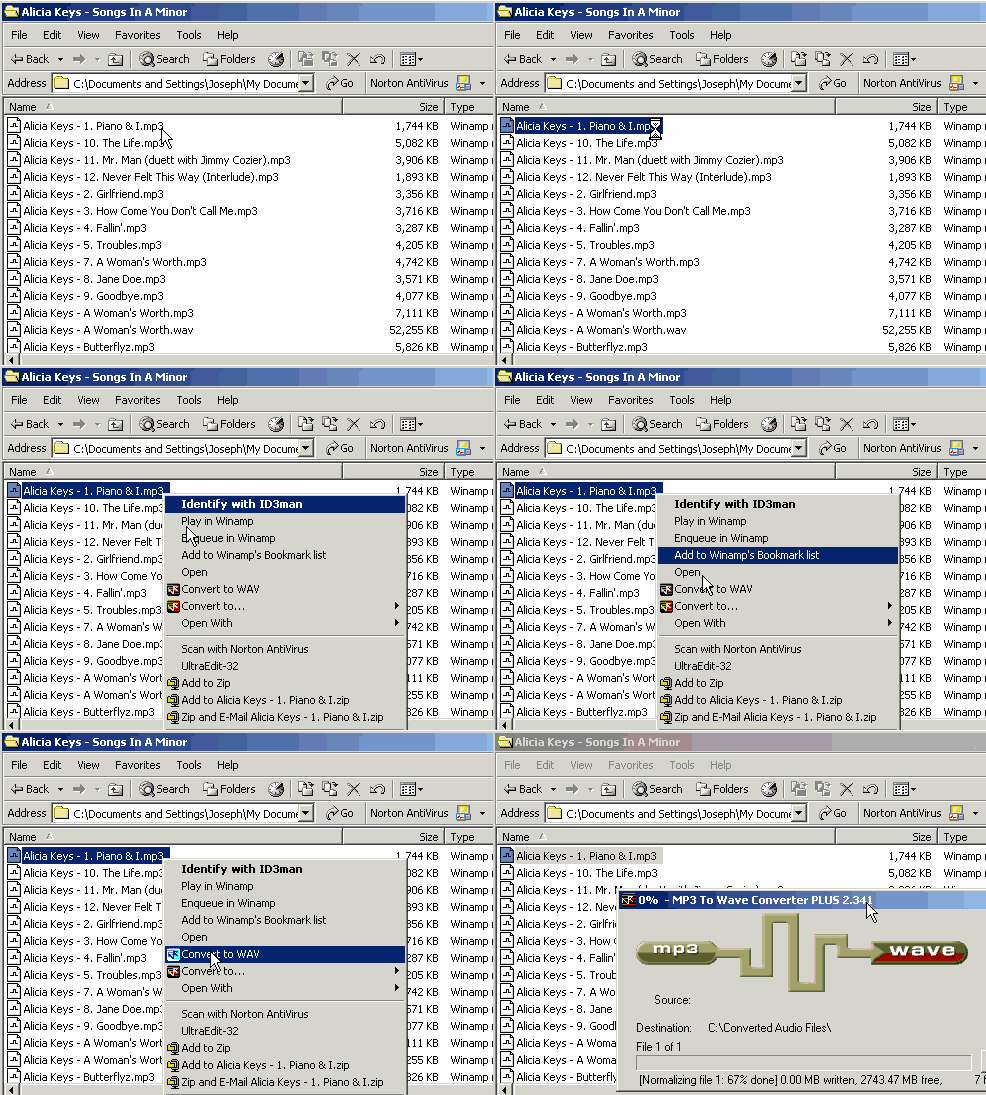
Built in to Windows itself!
All it takes is a simple right click in Windows and your off and converting!

No need to launch another program and then go find your file!  It's right at your disposal on the right click menu.

Just right click on a file, select "Convert to WAV" and you're done!

If you want to convert the MP3 to WMA, select "Convert to.." and then select "WMA".

To set default formats and other settings, right click on the file, select "Convert to" and then "Options".  IT'S THAT EASY!!!

Purchase MP3 T0 Wav Converter NOW!


Help for Haiti: Learn What You Can Do
Site Map Privacy Policy F A Q Contact Us
Royalty Free MusicStock Music Royalty Free Classical Music Background Music Library
Free Drum Loops
Download Sound Effects Nature Music Download Royalty Free Music Clips

Copyright 2010 Partners In Rhyme Inc All International Rights Reserved
Partners In Rhyme Inc. 1223 Wilshire Blvd Santa Monica CA 90403 USA
323-774-1389 (USA), 00 44 115 714 8297 (Europe)